The pregnancy tracker that knows exactly how far along you are
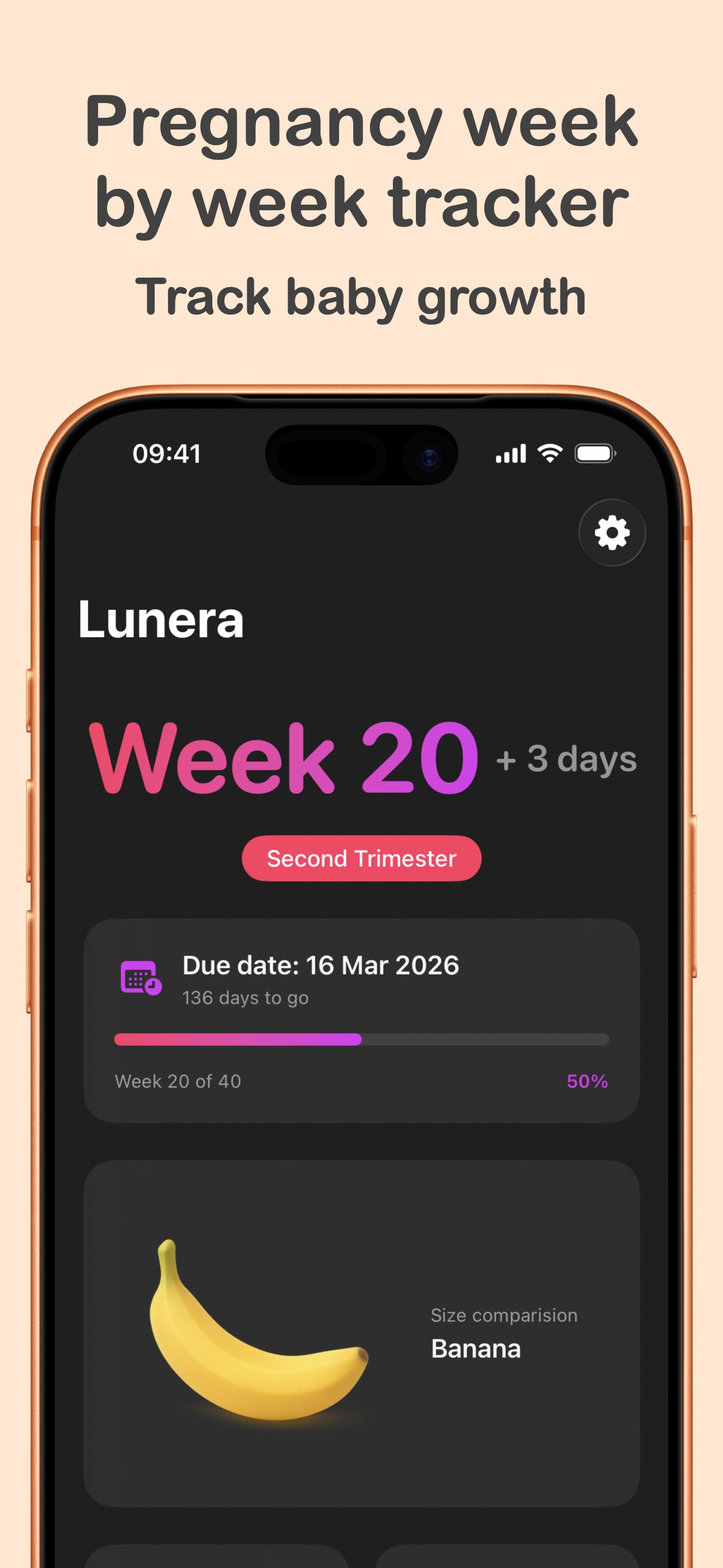
Lunera tracks your pregnancy week by week, shows your baby's size from poppy seed to watermelon, counts down to your due date, and times contractions when labor begins — all on your iPhone, all private.

Download Lunera for iPhone
Free on the App Store. Set up in under a minute — no account, no email, no personal questions.
How Lunera works
Tell Lunera one date
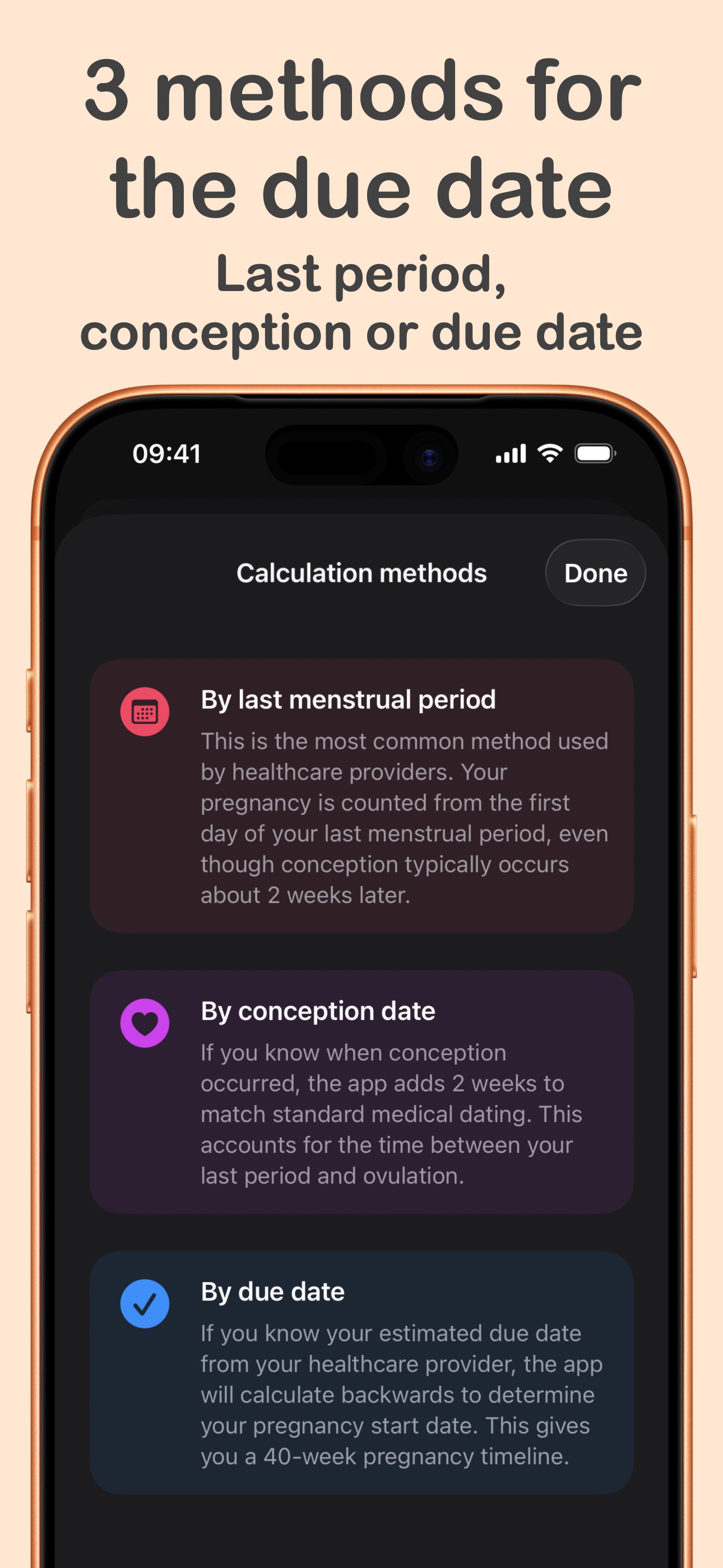
Enter your last menstrual period, conception date, or the due date from your provider. That's the whole setup — no account, no questionnaire.
Follow your baby week by week
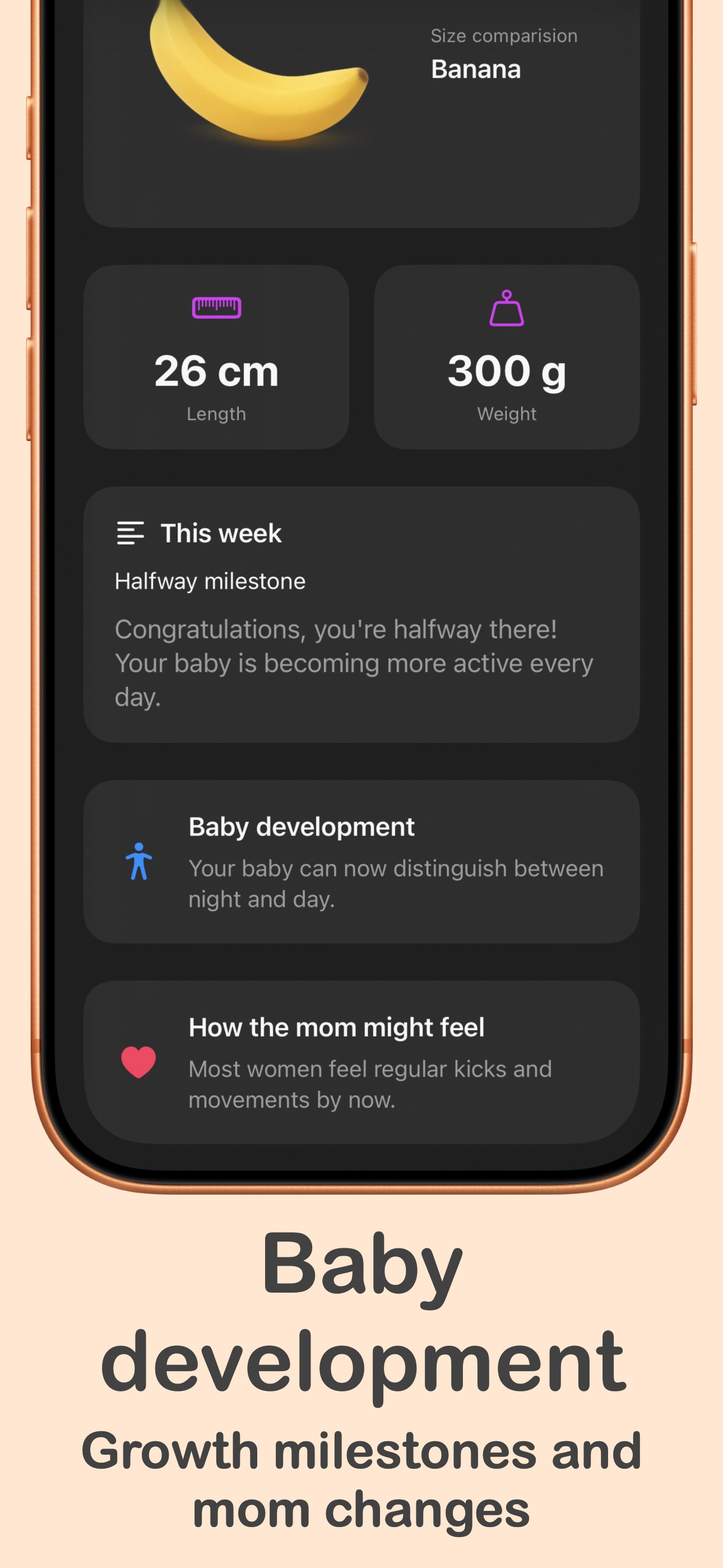
See your exact week and day, your baby's size comparison, length and weight, development milestones, and how you might be feeling — for all 40 weeks.
Glance, don't open
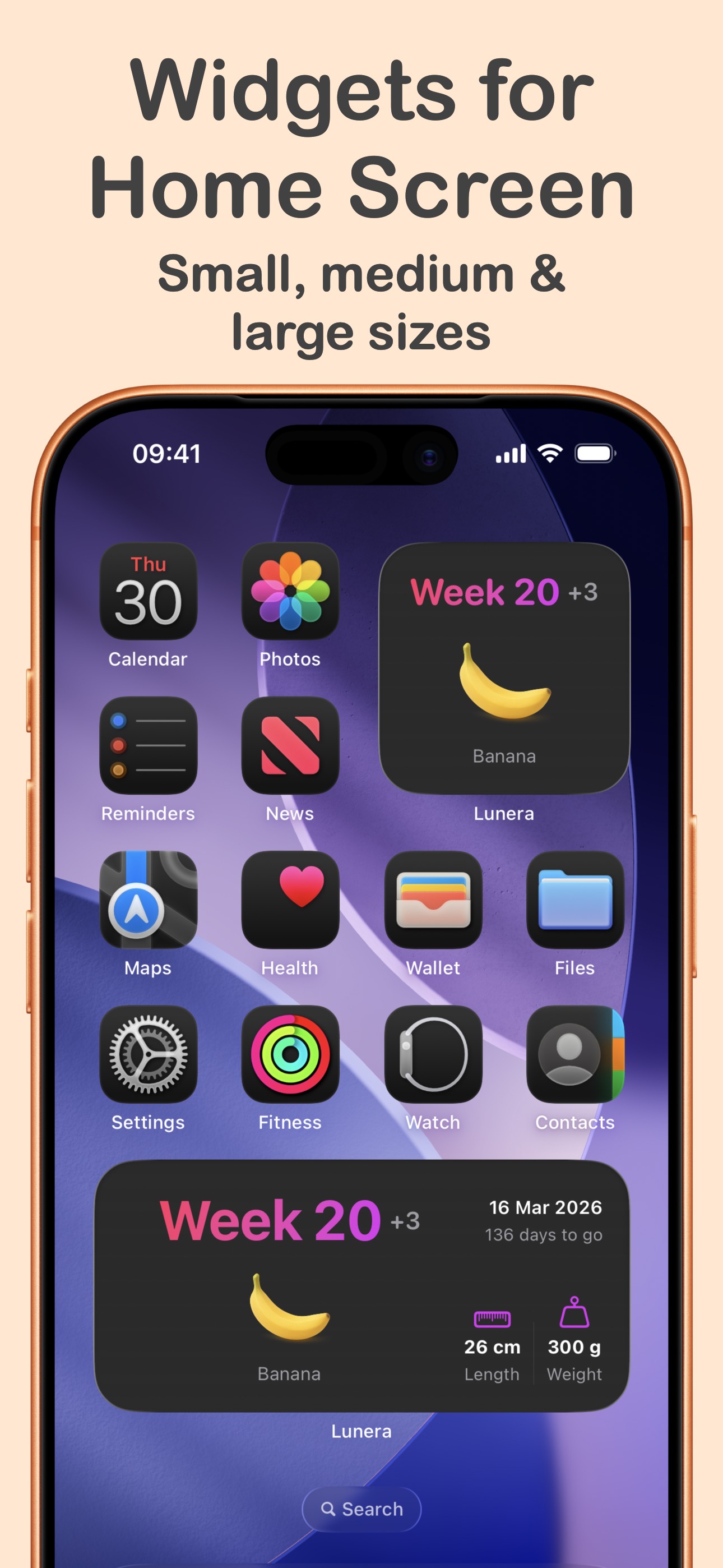
Add home screen and lock screen widgets, get a gentle weekly notification when a new week begins, or just ask Siri what week you're on.
Time contractions when it counts
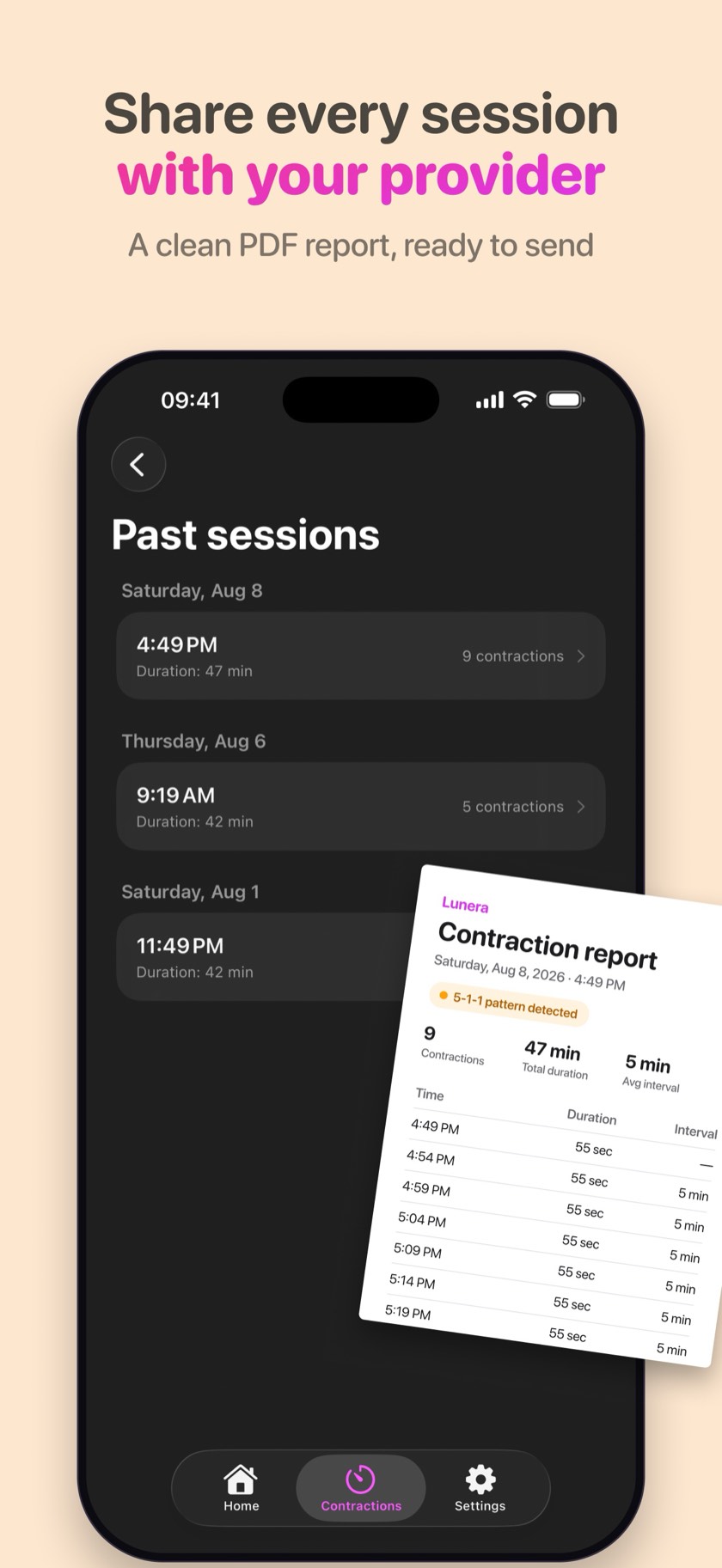
When labor starts, tap once to time each contraction — or use Siri hands-free. Lunera tracks duration and intervals, and PRO alerts you when the 5-1-1 pattern appears.
Pregnancy guides
Clear answers to the questions every expecting parent searches for — and how Lunera helps with each one.
How many weeks pregnant am I?
How pregnancy weeks are counted, why they start before conception, and how to find your exact week and day.
Read the guide → Due dateDue date calculator: 3 ways to find your due date
Calculate your due date from your last period, conception date, or ultrasound — and what to do with it.
Read the guide → Baby growthBaby size by week: from poppy seed to watermelon
What the fruit comparisons actually mean, week by week, with typical length and weight.
Read the guide → TrimestersPregnancy trimesters explained: weeks and milestones
Exactly when each trimester starts and ends, with a week-by-week table and a calculator for your own.
Open the tool → LaborHow to time contractions (the right way)
What to measure, what the numbers mean, and how to keep count when contractions get intense.
Read the guide → LaborThe 5-1-1 rule: when to go to the hospital
What 5-1-1 means, a free checker that tells you when your contractions match it, and when to call.
Open the checker → LaborBreathing exercises for labor: staying calm through contractions
Simple paced breathing techniques like 4-4 breathing, and how to practice them before the big day.
Read the guide → iPhonePregnancy widgets for iPhone: week & countdown on your lock screen
How to put your pregnancy week, baby size, and due date countdown on your home and lock screen.
Read the guide → PricingPregnancy apps without a subscription: what to look for
Why most pregnancy apps charge monthly, and what a one-time purchase gets you instead.
Read the guide → PrivacyPrivate pregnancy tracker: keeping your data on your phone
Most pregnancy apps share your data. Here's what to check, and how a local-only tracker works.
Read the guide →Frequently asked questions
How many weeks pregnant am I?
Your pregnancy week is counted from the first day of your last menstrual period (LMP) — not from conception, which usually happens about two weeks later. Enter your LMP, conception date, or due date in Lunera and it shows your exact week and day (like "Week 20 + 3 days"), updated automatically. Learn more
How is my due date calculated?
A due date is typically 40 weeks (280 days) from the first day of your last menstrual period. It can also be worked out from your conception date, or taken straight from your provider's ultrasound estimate. Lunera supports all three methods and counts down the days for you. Learn more
What size is my baby this week?
Baby size is usually compared to fruits and everyday objects — a poppy seed at week 4, a banana around week 20, a watermelon at full term. Lunera shows a size comparison plus typical length and weight for every one of the 40 weeks. Learn more
How do I time contractions?
Time from the start of a contraction to its end (duration), and from the start of one contraction to the start of the next (frequency). In Lunera you just tap once when a contraction starts and once when it ends — the app tracks durations, intervals, and averages, even from your lock screen or with Siri. Learn more
What is the 5-1-1 rule for contractions?
5-1-1 is a common guideline for when labor is established: contractions 5 minutes apart, lasting 1 minute each, for 1 hour. Lunera PRO detects this pattern automatically from your timed contractions and alerts you — your cue to call your doctor or midwife. Learn more
What breathing exercises help during labor?
Slow, paced breathing — like 4-4 breathing (inhale 4 seconds, exhale 4 seconds) — helps many people stay calm through contractions. Lunera PRO includes a guided breathing circle with optional haptics you can follow during each contraction. Learn more
Can I see my pregnancy week on my iPhone lock screen?
Yes — Lunera has lock screen widgets (circular, rectangular, inline) and home screen widgets in three sizes showing your current week, baby size, and due date countdown, refreshed daily. Learn more
When does each trimester start and end?
First trimester: weeks 1–13. Second trimester: weeks 14–27. Third trimester: week 28 to birth. Lunera detects your trimester automatically and visualizes your progress through all 40 weeks. Learn more
Is there a pregnancy app without a subscription?
Yes. Lunera is free to download with no ads, and Lunera PRO is a one-time $9.99 purchase — no subscription, no recurring fees, yours forever. Learn more
Which pregnancy tracker is best for privacy?
Choose one that stores data only on your device, needs no account, and shares nothing with third parties. Lunera keeps everything local to your iPhone — no tracking, no analytics, no ads, no account. Learn more
Celebrate every week of your pregnancy
Join expecting parents who track their journey with Lunera — week by week, milestone by milestone, contraction by contraction.
Free download · Optional PRO for $9.99, once · Your data stays on your phone